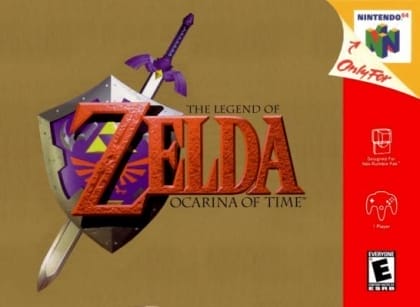
The Legend of Zelda: Ocarina of Time
Play Now
Important Control Tip: If keys are unresponsive after the game loads, please [click on the game window] to activate input focus.
How to Play
How to Play
Press Play Now button to start the Nintendo 64 emulator in your browser.
Control guide merged: use keyboard on PC and on-screen buttons on mobile.
🖥️ PC Controls
| Action | Key (Default) | Description |
|---|---|---|
| D-Pad | ↑↓←→ | Movement control |
| A Button | Z | Confirm / Attack |
| B Button | X | Cancel / Jump |
| Select | V | Select button |
| Start | Enter | Start button |
📱 Mobile Controls
- Movement
- D-pad (left side)
- Action Buttons
- A/B or X/Y/A/B (right side, varies by platform)
- Start / Select
- Center of screen
- Left-Handed Mode
- Swap layout in Control Settings
Mobile Controls: After starting the game, tap the menu in the top-right corner → "Control Settings" to view full key mappings and customize controls.
From Wikipedia, the free encyclopedia:
Source: Wikipedia
About This Game
Gameplay
Gameplay examples The Legend of Zelda: Ocarina of Time is a fantasy action-adventure game set in a three-dimensional world with an expansive environment. The game world is mostly rendered in real-timepolygonal 3D "Polygon (computer graphics)"), while a few areas make use of pre-rendered backgrounds. The player controls series protagonist Link from a third-person perspective. Link primarily fights with a sword and shield but can also use other weapons such as projectiles, bombs, and magic spells.–25 The control scheme introduced techniques such as context-sensitive actions and a targeting system called "Z-targeting", which allows the player to have Link focus on enemies or objects.–12 When using this technique, the camera follows the target and Link constantly faces it. Projectile attacks are automatically directed at the target and do not require manual aiming. Context-sensitive actions allow multiple tasks to be assigned to one button, simplifying the control scheme. The on-screen display shows what will happen when the button is pushed and changes depending on what the character is doing.
History
Ocarina of Time was developed concurrently with Super Mario 64 and Mario Kart 64 for the Nintendo 64 by Nintendo's Entertainment Analysis & Development (EAD) division in 1994, for more than $12 million with a staff of more than 200. Development was migrated from the 64DD disk drive peripheral to cartridge due to the high data throughput of streaming 500 motion-captured character animations throughout gameplay. Initially targeting 16 megabytes, it was increased to 32 megabytes, as Nintendo's largest game ever.
More details about this game can be found on Wikipedia article .
Comments
Log in to leave a comment.
Sign InNo comments yet. Be the first!
Related Games
The Lucky Dime Caper Starring Donald Duck
The Legend of Zelda: Majora's Mask
The Legend of Zelda: Oracle of Seasons
The Legend of Zelda: Link's Awakening DX
The Legend of Kage