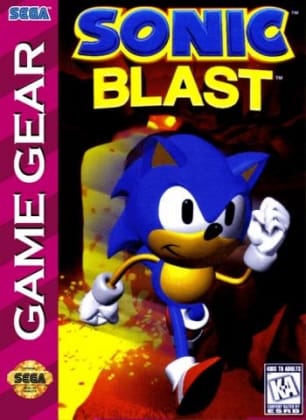
Sonic Blast
Play Now
Important Control Tip: If keys are unresponsive after the game loads, please [click on the game window] to activate input focus.
How to Play
How to Play
Press Play Now button to start the Sega Game Gear emulator in your browser.
Control guide merged: use keyboard on PC and on-screen buttons on mobile.
🖥️ PC Controls
| Action | Key (Default) | Description |
|---|---|---|
| D-Pad | ↑↓←→ | Movement control |
| A Button | Z | Confirm / Attack |
| B Button | X | Cancel / Jump |
| Select | V | Select button |
| Start | Enter | Start button |
📱 Mobile Controls
- Movement
- D-pad (left side)
- Action Buttons
- A/B or X/Y/A/B (right side, varies by platform)
- Start / Select
- Center of screen
- Left-Handed Mode
- Swap layout in Control Settings
Mobile Controls: After starting the game, tap the menu in the top-right corner → "Control Settings" to view full key mappings and customize controls.
From Wikipedia, the free encyclopedia:
Source: Wikipedia
About This Game
History
Sonic Blast was the sixth and final Sonic the Hedgehog platformer released for the Game Gear. It was developed alongside other outsourced titles in the series, including Minato Gaiken's Sonic Labyrinth and Traveller's Tales' Sonic 3D Blast. Like the previous Game Gear titles, Sonic Blast was developed by Aspect and published by Sega. Key staff from Aspect's prior Sonic games did not work on Sonic Blast. A prominent feature of the game is its pre-rendered visuals, which had been popularized by Donkey Kong Country. The graphics were rendered in 3D before being converted into sprites "Sprite (computer graphics)"); the final result has been compared to that of Donkey Kong Country and Mortal Kombat "Mortal Kombat (1992 video game)").
More details about this game can be found on Wikipedia article .
Comments
Log in to leave a comment.
Sign InNo comments yet. Be the first!
Related Games
Sonic the Hedgehog 3
Sonic Boom
Sonic Chaos
Sonic & Knuckles
Sonic 3D Blast