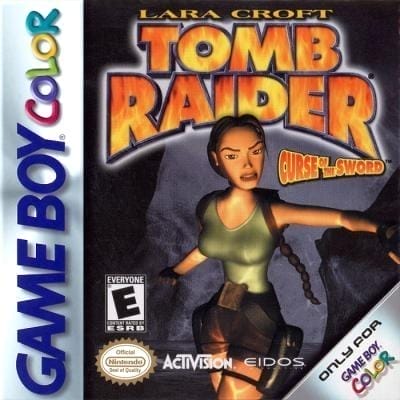
Tomb Raider: Curse of the Sword
Play Now
Important Control Tip: If keys are unresponsive after the game loads, please [click on the game window] to activate input focus.
How to Play
How to Play
Press Play Now button to start the Game Boy Color emulator in your browser.
Control guide merged: use keyboard on PC and on-screen buttons on mobile.
🖥️ PC Controls
| Action | Key (Default) | Description |
|---|---|---|
| D-Pad | ↑↓←→ | Movement control |
| A Button | Z | Confirm / Attack |
| B Button | X | Cancel / Jump |
| Select | V | Select button |
| Start | Enter | Start button |
📱 Mobile Controls
- Movement
- D-pad (left side)
- Action Buttons
- A/B or X/Y/A/B (right side, varies by platform)
- Start / Select
- Center of screen
- Left-Handed Mode
- Swap layout in Control Settings
Mobile Controls: After starting the game, tap the menu in the top-right corner → "Control Settings" to view full key mappings and customize controls.
From Wikipedia, the free encyclopedia:
Source: Wikipedia
About This Game
History
Curse of the Sword was developed for the Game Boy Color by Tomb Raider series developers Core Design, who also developed the earlier GBC title "Tomb Raider (Game Boy Color video game)"). Dan Scott, the lead programmer enhanced the game engine used in the first title in the series. Staff included co-producers Andy Watt and Mike Schmitt, artist Matt Charlesworth, and designers Jamie Morton and Paul Field. Series owner Eidos Interactive were eager to have a Tomb Raider game release to coincide with the 2001 film adaptation. The music and audio were handled by Manfred Linzner and Bernhard Wodok of Shin'en; Curse of the Sword and its predecessor were among the company's first projects.
More details about this game can be found on Wikipedia article .
Comments
Log in to leave a comment.
Sign InNo comments yet. Be the first!
Related Games
Tomb Raider
ToeJam & Earl
Grand Theft Auto: Chinatown Wars
Castlevania: Dawn of Sorrow
Castlevania: Portrait of Ruin