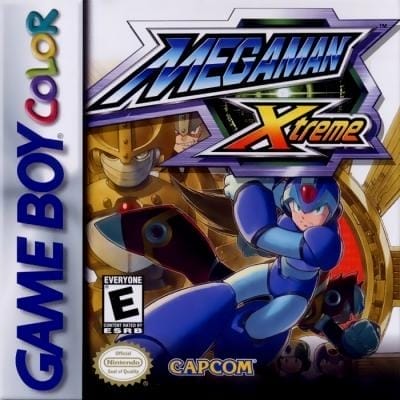
Mega Man Xtreme
Play Now
Important Control Tip: If keys are unresponsive after the game loads, please [click on the game window] to activate input focus.
How to Play
How to Play
Press Play Now button to start the Game Boy Color emulator in your browser.
Control guide merged: use keyboard on PC and on-screen buttons on mobile.
🖥️ PC Controls
| Action | Key (Default) | Description |
|---|---|---|
| D-Pad | ↑↓←→ | Movement control |
| A Button | Z | Confirm / Attack |
| B Button | X | Cancel / Jump |
| Select | V | Select button |
| Start | Enter | Start button |
📱 Mobile Controls
- Movement
- D-pad (left side)
- Action Buttons
- A/B or X/Y/A/B (right side, varies by platform)
- Start / Select
- Center of screen
- Left-Handed Mode
- Swap layout in Control Settings
Mobile Controls: After starting the game, tap the menu in the top-right corner → "Control Settings" to view full key mappings and customize controls.
From Wikipedia, the free encyclopedia:
Source: Wikipedia
About This Game
History
Mega Man Xtreme was developed and published by Capcom. The Japanese version of the game was initially debuted as a playable demo at the Electronic Entertainment Expo in May 2000. The game was shown at the Tokyo Game Show the following fall. Haruki Suetsugu was the sole artist responsible for the game's character designs and cover art, just as he had been for both Mega Man X4 and Mega Man X5. He designed the twins Middy and Techno so that if one's helmet is turned 90 degrees, it is shaped like the other's helmet. Additionally, Middy was illustrated with soft, round lines and Techno was given sharper, pointed angles, each to reflect their personalities.
More details about this game can be found on Wikipedia article .
Comments
Log in to leave a comment.
Sign InNo comments yet. Be the first!
Related Games
Mega Man ZX
Mega Man Zero 3
Mega Man Zero 2
Mega Man Zero
Mega Man III