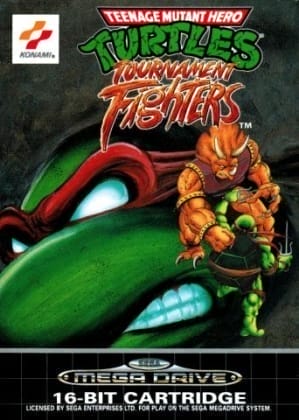
Mighty Morphin Power Rangers: The Fighting Edition
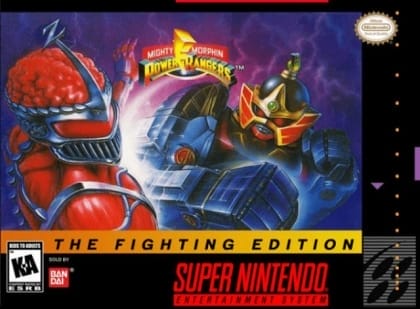
Play Now
Important Control Tip: If keys are unresponsive after the game loads, please [click on the game window] to activate input focus.
How to Play
How to Play
Press Play Now button to start the Super Nintendo Entertainment System emulator in your browser.
Control guide merged: use keyboard on PC and on-screen buttons on mobile.
🖥️ PC Controls
| Action | Key (Default) | Description |
|---|---|---|
| D-Pad | ↑↓←→ | Movement control |
| A Button | Z | Confirm / Attack |
| B Button | X | Cancel / Jump |
| Select | V | Select button |
| Start | Enter | Start button |
📱 Mobile Controls
- Movement
- D-pad (left side)
- Action Buttons
- A/B or X/Y/A/B (right side, varies by platform)
- Start / Select
- Center of screen
- Left-Handed Mode
- Swap layout in Control Settings
Mobile Controls: After starting the game, tap the menu in the top-right corner → "Control Settings" to view full key mappings and customize controls.
From Wikipedia, the free encyclopedia:
Source: Wikipedia
About This Game
Gameplay
Fighting Edition follows the same rules and format of most 2D fighting games, particularly Capcom’s Cyberbots: Fullmetal Madness (1995). The player(s) objectives are to defeat opponents in a best two-out-of-three match using their character's standard and special moves. The player has four basic attack buttons (two punch buttons and two weapon buttons) and a set of command-based special moves unique to each character. The player can grab and throw their opponent like other fighting games, but if two characters attempt to do this at the same time, they will wrestle each other until one overpowers the other. Below each character's vitality gauge is a power gauge that automatically fills up and resets during battle. If the player performs a special move at the exact moment the gauge is filled, their power level will increase by one level, allowing the player to perform stronger attacks. If the player manages to increase their power level a third time, the gauge will be temporarily replaced by a thunderbolt symbol, allowing the player to perform a super move during this period.
History
The music to the game was scored by Hiroyuki Iwatsuki. The developers would later use the same engine for the Super Famicom fighting game Shin Kidō Senki Gundam Wing: Endless Duel.
More details about this game can be found on Wikipedia article .
Comments
Log in to leave a comment.
Sign InNo comments yet. Be the first!
Related Games
Mighty Morphin Power Rangers: The Movie
Mighty Morphin Power Rangers
Deadly Moves
Naruto: Ninja Destiny
Dragon Ball Z: Supersonic Warriors