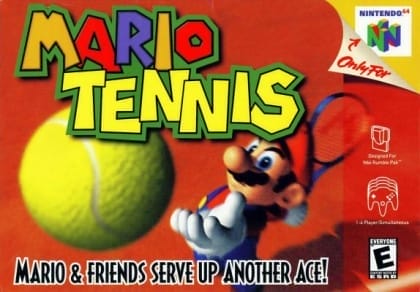
Mario Tennis
Play Now
Important Control Tip: If keys are unresponsive after the game loads, please [click on the game window] to activate input focus.
How to Play
How to Play
Press Play Now button to start the Nintendo 64 emulator in your browser.
Control guide merged: use keyboard on PC and on-screen buttons on mobile.
🖥️ PC Controls
| Action | Key (Default) | Description |
|---|---|---|
| D-Pad | ↑↓←→ | Movement control |
| A Button | Z | Confirm / Attack |
| B Button | X | Cancel / Jump |
| Select | V | Select button |
| Start | Enter | Start button |
📱 Mobile Controls
- Movement
- D-pad (left side)
- Action Buttons
- A/B or X/Y/A/B (right side, varies by platform)
- Start / Select
- Center of screen
- Left-Handed Mode
- Swap layout in Control Settings
Mobile Controls: After starting the game, tap the menu in the top-right corner → "Control Settings" to view full key mappings and customize controls.
From Wikipedia, the free encyclopedia:
Source: Wikipedia
About This Game
Gameplay
The game uses a control system that differs from most other video tennis games. Shots are performed by pressing one, or both, of the two main buttons (A or B), which make the ball spin in different ways. Pressing a button twice strikes the tennis shot with more power and spin. Additionally, pressing the two buttons in a different order can result in a different type of shot altogether, such as a lob or drop shot. Both buttons can be pressed at the same time to hit a very powerful smash shot. The longer a button is pressed before contact is made with the ball, the stronger the shot will be. The control system allows players of all levels to become familiar with the mechanics of the game within a very short time, whilst also encouraging advanced players to take advantage of the variety of shots offered to come up with different strategies for winning points. A total of seven types of shot are possible using only the two main buttons of the controller. These gameplay mechanics were later brought to the newer games of the Mario Tennis series. Matches support singles or doubles play. The Nintendo 64 version includes several gameplay modes.
History
At Nintendo's suggestion, Princess Daisy was brought back from obscurity after having only ever appeared in Super Mario Land and NES Open Tournament Golf in order to give Peach a doubles partner like Mario had Luigi. This also led to fans shipping Daisy with Luigi, just like how Nintendo officially shipped Peach with Mario. Camelot asked Nintendo if the game could also feature girlfriends for Wario and Waluigi, but Miyamoto said that he "didn't even want to see their girlfriends." The Game Boy Color version had a marketing budget of $4 million.
More details about this game can be found on Wikipedia article .
Comments
Log in to leave a comment.
Sign InNo comments yet. Be the first!
Related Games
Baseball
Double Dribble
Side Pocket
Golf
Tecmo Super Bowl III: Final Edition