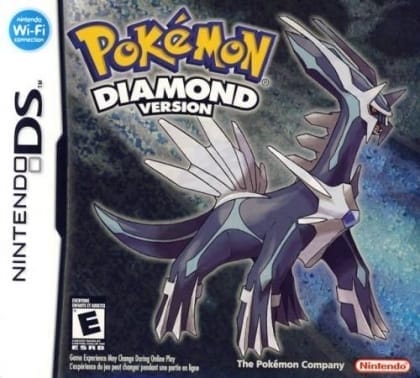
Pokémon Diamond
Play Now
Important Control Tip: If keys are unresponsive after the game loads, please [click on the game window] to activate input focus.
How to Play
How to Play
Press Play Now button to start the Nintendo DS emulator in your browser.
Control guide merged: use keyboard on PC and on-screen buttons on mobile.
🖥️ PC Controls
| Action | Key (Default) | Description |
|---|---|---|
| D-Pad | ↑↓←→ | Movement control |
| A Button | Z | Confirm / Attack |
| B Button | X | Cancel / Jump |
| Select | V | Select button |
| Start | Enter | Start button |
📱 Mobile Controls
- Movement
- D-pad (left side)
- Action Buttons
- A/B or X/Y/A/B (right side, varies by platform)
- Start / Select
- Center of screen
- Left-Handed Mode
- Swap layout in Control Settings
Mobile Controls: After starting the game, tap the menu in the top-right corner → "Control Settings" to view full key mappings and customize controls.
From Wikipedia, the free encyclopedia:
Source: Wikipedia
About This Game
Gameplay
See also: Gameplay of Pokémon Pokémon Diamond and Pearl are role-playing video games with adventure elements. The basic mechanics of the games are largely the same as their predecessors. As with all Pokémon games for handheld consoles, the gameplay is in a third-person overhead perspective, and consists of three basic screens: a field map, in which the player navigates the main character; a battle screen; and the menu, in which the player configures their party, items, or gameplay settings. Players begin the game with no Pokémon or Poké Balls but are given the choice of three Pokémon as a part of the storyline. Once Poké Balls are obtained, the player can capture more Pokémon. Players can use their Pokémon to deal damage to other Pokémon in battle. Whenever the player encounters a wild Pokémon or is challenged by a trainer to a battle, the screen switches to a turn-based battle screen where the Pokémon fight. During the battle, the player may use a move, use an item, switch the active Pokémon, or flee. Fleeing is not an option during battles against trainers.
History
Pokémon Diamond and Pearl were developed by Game Freak and Junichi Masuda served as game director. The game's music was scored by Hitomi Sato and Junichi Masuda under the supervision of Go Ichinose, with a few other fanfares composed by Morikazu Aoki. According to The Pokémon Company's Tsunekazu Ishihara, the games were designed with the DS's unique features in mind, such as the Wi-Fi capabilities and slot for Game Boy Advance cartridges. The command buttons in the battle screen are large and color-coded; according to Masuda, this feature would facilitate gameplay for players unable to read. Also, the touchscreen interface was designed to encourage players to use their fingers rather than the stylus to manipulate the screen.
More details about this game can be found on Wikipedia article .
Comments
Log in to leave a comment.
Sign InNo comments yet. Be the first!
Related Games
Pokémon Crystal
Pokémon Gold
Pokémon Trading Card Game
Pokémon Puzzle Challenge
Pokémon Ruby