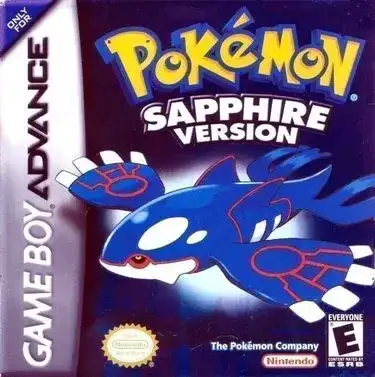
Pokémon LeafGreen
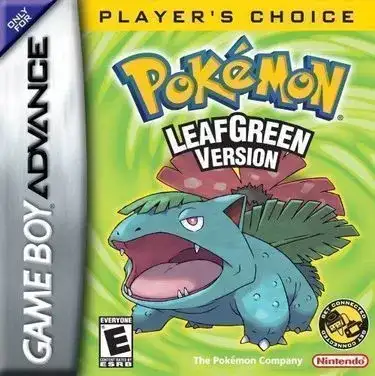
Play Now
Important Control Tip: If keys are unresponsive after the game loads, please [click on the game window] to activate input focus.
How to Play
How to Play
Press Play Now button to start the Game Boy Advance emulator in your browser.
Control guide merged: use keyboard on PC and on-screen buttons on mobile.
🖥️ PC Controls
| Action | Key (Default) | Description |
|---|---|---|
| D-Pad | ↑↓←→ | Movement control |
| A Button | Z | Confirm / Attack |
| B Button | X | Cancel / Jump |
| Select | V | Select button |
| Start | Enter | Start button |
📱 Mobile Controls
- Movement
- D-pad (left side)
- Action Buttons
- A/B or X/Y/A/B (right side, varies by platform)
- Start / Select
- Center of screen
- Left-Handed Mode
- Swap layout in Control Settings
Mobile Controls: After starting the game, tap the menu in the top-right corner → "Control Settings" to view full key mappings and customize controls.
From Wikipedia, the free encyclopedia:
Source: Wikipedia
About This Game
History
FireRed and LeafGreen were first announced in September 2003 as upcoming remakes of the original Pocket Monsters Red and Green games that were released in Japan in 1996. Game director Junichi Masuda stated the new titles would be developed around the idea of simplicity, as the game engine was a slightly modified version of the one used in Pokémon Ruby and Sapphire. As a result, FireRed and LeafGreen were made fully backward compatible with Ruby and Sapphire, allowing players to trade Pokémon between games. FireRed and LeafGreen's connectivity with the Game Boy Advance Wireless Adapter was heralded by then-president of Nintendo Satoru Iwata as being able "to enhance head-to-head battles, exchange of information, and communication with others.
More details about this game can be found on Wikipedia article .
Comments
Log in to leave a comment.
Sign InNo comments yet. Be the first!
Related Games
Pokémon Crystal
Pokémon Gold
Pokémon Trading Card Game
Pokémon Puzzle Challenge
Pokémon Ruby